
Case Study: AI-Accelerated Custom Online Ordering App for Printing Companies
Why Printing Isn’t Typical E‑Commerce?
Printing doesn’t naturally fit the e-commerce mold. Customers rarely “add to cart and check out”. They first need to upload, share artwork and choose materials like paper stock and finishing. Fulfillment is also fundamentally different from “pick, pack, ship“. Once an order is confirmed, it enters a production workflow. The team preps materials, moves the job through stations — printing, cutting, binding or laminating, packaging — and runs quality checks before dispatch. In effect, every order is custom. A print ordering app is more like handling a made-to-order restaurant ticket than pulling a product off a shelf.
This case study shows how we built a custom print ordering app for that reality. It also explains how an AI-accelerated approach/ no-code development delivered a working version in under two weeks. Every business is different. Whether you’re in printing or another industry, you don’t have to force your operations into a checkout model that doesn’t fit.
Racing the Semester Clock: A Fast Track to Print Ordering App
The client is a new printing company entering a competitive market where many established print providers already offer online ordering. Relying on email and WhatsApp created a credibility and convenience gap. Budget was tight. So the goal was to launch a lean, usable ordering app that could win early accounts and fund later expansion. Their initial focus was B2B. They started by serving a small number of schools and tutoring centers before expanding to cover the broader education sector, including overseas customers.
Timing was the biggest constraint then. With the new semester approaching, the Print Ordering App needed to be production-ready before peak demand began. Otherwise the business would miss a major window of sales opportunities.
Beyond basic print ordering, the workflow also had a specific business requirement. Schools and tutoring centers asked for custom data fields at checkout so they could capture the information they need for their own reporting. Essentially we had to design and build for three stakeholders at once: sales, production, and the end customers. And because the client is moving fast and requirements will evolve, the solution needed flexibility and a clear next step. Shortly after launch, we will have to introduce a backend work-order flow to support their production operations.
Scope Overview
The minimum viable product (MVP) of the Print Ordering App had one main goal: let business customers place print orders quickly and accurately, with all the details the production team needs to fulfill each job. To keep operations simple, we only added a basic status model in the first version: New, WIP, Complete, and Delete. Staff can show progress without complicating the workflow.
What the MVP includes
-
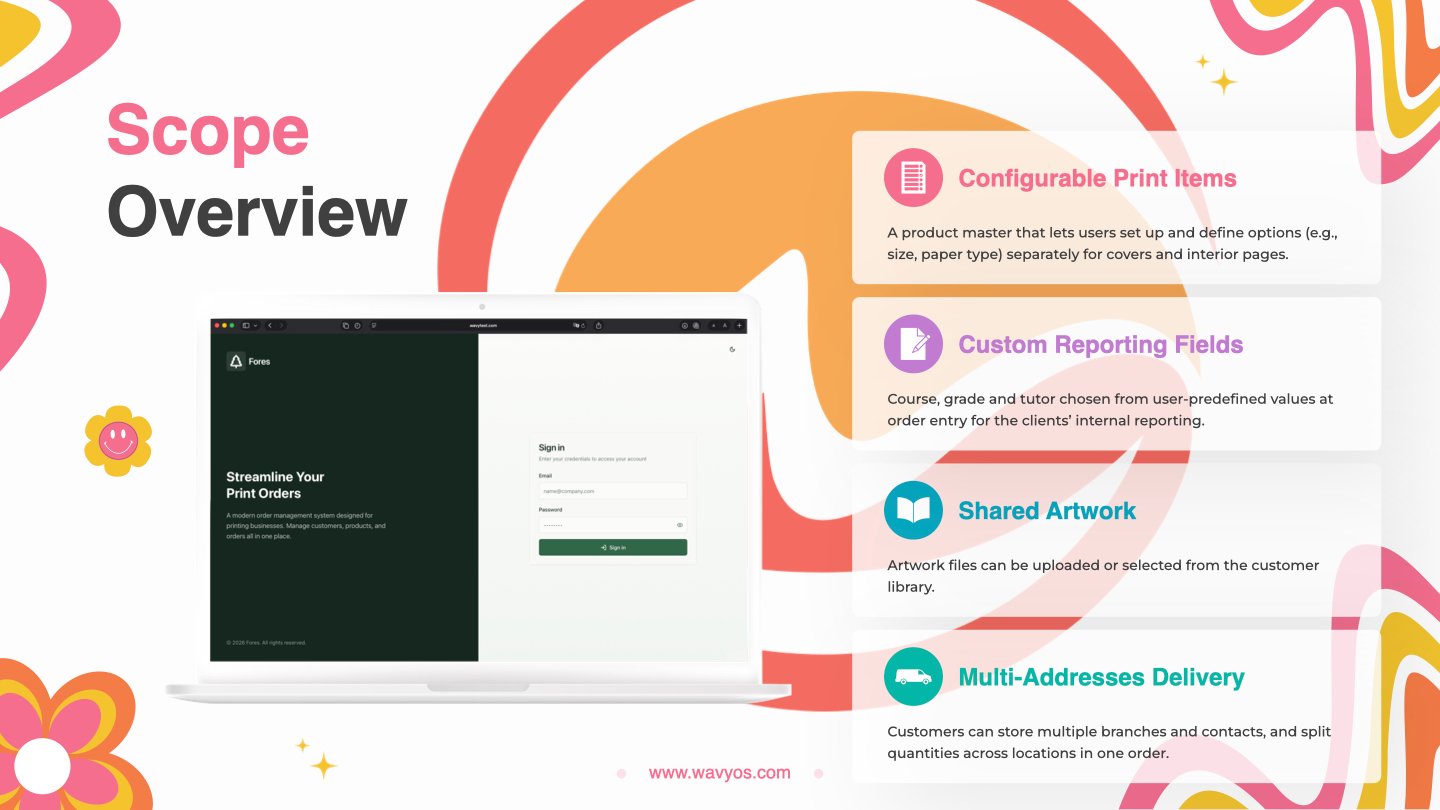
- Online ordering for configurable print items, with a product master that lets users set up and define options (e.g., size, paper type) separately for covers and interior pages.
- Custom reporting fields at order entry (course/ grade/ tutor) chosen from user-predefined values for the clients’ internal reporting.
- Supporting new uploads or selecting files from the customer library for the required artwork at Order Entry.
- Multi-address fulfillment: tutoring centers can store multiple branches and contacts, and split quantities across locations in one order.
Ordering flow (5-step wizard)
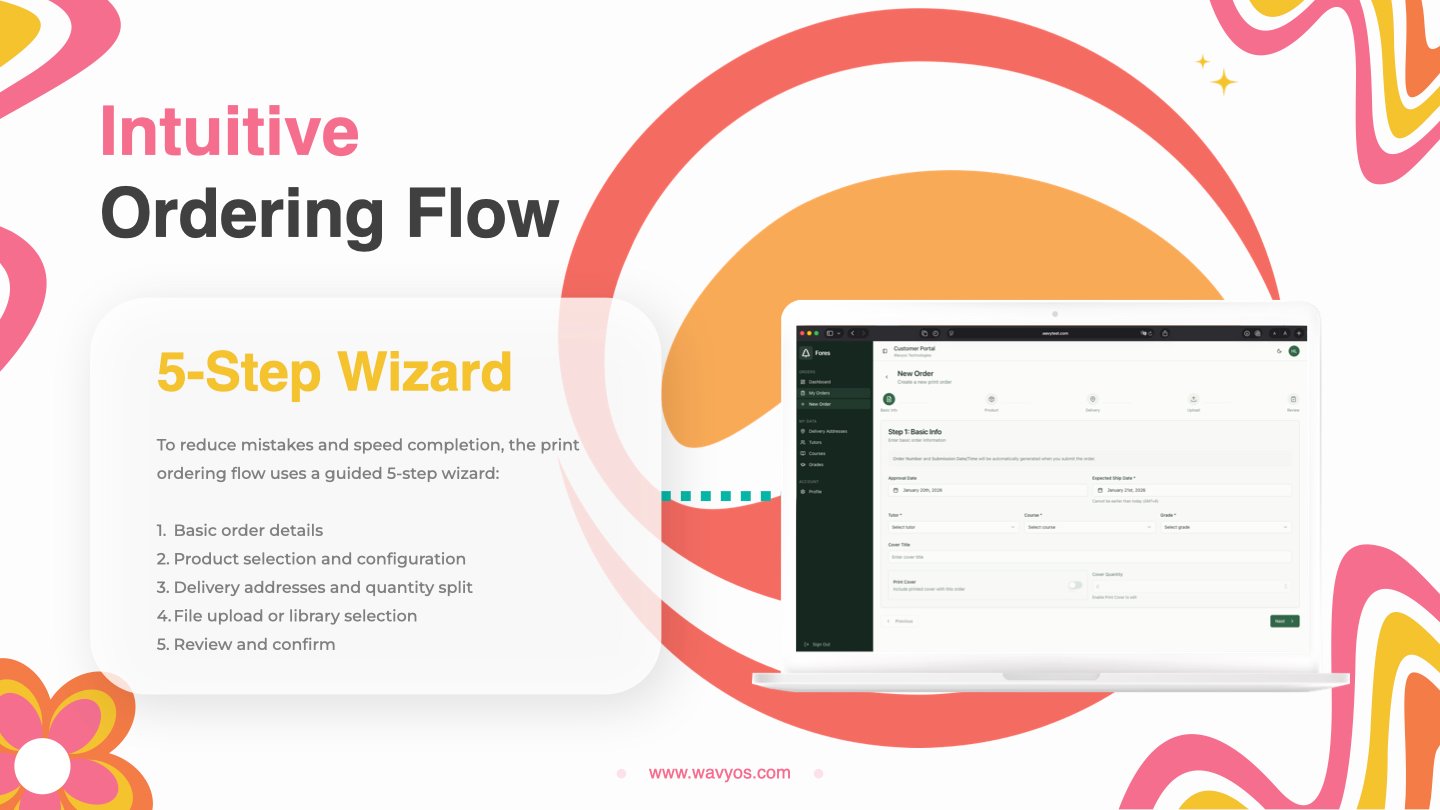
To reduce mistakes and speed completion, the print ordering flow uses a guided 5-step wizard:
-
- Basic order details
- Product selection and configuration
- Delivery addresses and quantity split
- File upload or library selection
- Review and confirm
Business accounts and accountability
Unlike consumer e-commerce, each customer account is shared across an organization. To ensure accountability, the main customer account can create and manage their Affiliate (Sub) Accounts. Users sign in with their own credentials. The system then records who created or modified each order, and when. This audit trail significantly reduces disputes and internal confusion for B2B customers.
How AI Accelerated Delivery
A Print Ordering App with this scope would typically take months if built entirely through manual programming and long feedback cycles, especially when the ordering flow is highly specific to print operations and B2B governance. In our case AI didn’t replace development. It compressed the build process and delivery by turning clear requirements into working screens and logic far faster than a traditional build–review–debug loop. The key to make it truly shine was combining AI speed with experienced system analysts and developers; so the implementation stayed aligned to real operations rather than “demo-ware.”
Lovable vs Cursor AI
Cursor AI has become our go-to coding assistant since “vibe coding” took off, and it remains a favorite in our toolbox. Generally speaking it works best when projects are technically demanding and require deep control.
For this project, however, we chose Lovable; mainly because the scope was contained, the requirements were clearly defined, and the workflow wasn’t overly complex. That made it a better fit for rapidly turning those specifications into a working, end-to-end build.
Both tools are excellent. They are just optimized for different needs:
- Cursor: best for complex, engineering-heavy tasks.
- Lovable: best for speed, cohesion, and rapid iteration on well-defined scopes.
We’ll share a deeper, side-by-side breakdown of their key differences (and when to use which) in a separate article.
WHERE HUMANS LED
Requirements precision (so AI can actually help)
-
- Before AI could generate anything useful, the team defined what the system “knows” as reusable setup information (Master Data) versus what changes per transaction (Transaction Data).
- Master data: products, configurable options, branches, and course/ grade/ tutor values.
- Transaction data: quantities per campus, uploaded artwork, selected options, and status updates.
- The (the 5-step wizard) order flow, feature boundaries, and screen-by-screen behavior were also written in plain, testable specs so AI had unambiguous instructions.
- Good prompts are specific — what happens on each step, what’s required, what’s saved, and who can see it. Vague prompts like “build an online print ordering app” cause a lot rework and trial-and-error. AI knows something about order processing. But it is not clever enough to clarify everything, provide and confirm a full specification before it starts coding. This is a critical step that depends on understanding how printing orders work in real life and what the client staff will actually do day-to-day.
- Before AI could generate anything useful, the team defined what the system “knows” as reusable setup information (Master Data) versus what changes per transaction (Transaction Data).
Access control (who can do what)
-
- Three roles keep access clear and risk low: System Admin, Customer Account, and Affiliate Account.
- System Admin holds top authority. They configure master data, manage users, and set operational controls.
- Customer Account represents the organization. It manages shared settings like branch addresses and standard reporting fields.
- Affiliate Accounts are individual logins under the Customer Account. They handle day-to-day order entry and updates. The system tracks their actions—who did what, and when—so management has a clear audit trail.
- Three roles keep access clear and risk low: System Admin, Customer Account, and Affiliate Account.
Final QA and UAT readiness
-
- The team prepared real test scenarios. These include common orders, edge cases, and “what ifs” with expected outcomes and validation checks.
- This ensures the client can sign off with confidence before the semester rush.
- The goal is to prove it works in daily operations, not just that pages load.
Why humans must lead
AI can produce screens and code fast, but it doesn’t know what user-friendliness really means, how to elevate user experience (UX), or which rules prevent costly mistakes. The project manager and system analysts must organize, well prepare and spell out these rules clearly. Learning them by trial and error is time consuming and exhausted, which is against the idea of “fast delivery.”
WHERE AI EXCELLED
Clean UI design

Given a simple design brief like “modern and minimal”, AI is able to produce a clean, current user interface. We skipped days of debates on layout and hierarchy and delivered a basic, usable and presentable print ordering app, not a rough-looking prototype.
Faster prototyping (skipping wireframing)
Traditionally teams have to spend weeks on wireframes and reviews before anyone can click through a real flow. Here, AI enabled a working end-to-end demo immediately. Stakeholders validated the flow by using it, not imagining it.
The difference is so huge because even a perfect wireframe usually can’t confirm whether users truly understand the steps until they actually use it. Skipping most of the wireframing phase saved us weeks while still keeping decisions grounded in real usage.
Structured building blocks
AI sped up repetitive components that would otherwise be redundant to build. These components include customer file library for artwork, configurable product option patterns, and core admin views for orders and master data. This let the team spend more time on print-specific logic rather than coding generic modules from scratch.
Testing and fixing in one loop
In a manual workflow, builds bounce between developers and testers for multiple rounds before sign-off. With an integrated code editor and an AI “virtual programmer” that understood the entire codebase, testing and debugging became far more cohesive and instant. We reproduced, traced, and fixed issues in one continuous loop. The tighter feedback cycle significantly reduced rework and stabilized the MVP faster.
Final Timeline (6 Man-days, Under 2 Weeks)
- Day 1 (1 man-day): Stakeholder meeting to capture and document preliminary requirements, confirm the printing-specific order flow, and lock the MVP scope for the semester deadline.
- Day 2 (1 man-day): Preparation of project documents and “AI-ready” specifications. This is a key step in which we turned user requirements into clear, structured prompts that define user roles, master data vs order data, wizard steps, and acceptance criteria.
- Day 3 (1 man-day): First working prototype built with AI, covering login/ logout, user roles, product master, customer data, delivery addresses, the full order wizard, and an order list for review/ edit. During development, features were implemented in small increments (1–2 functions at a time) and tested/ refined/ bug-fixed immediately, resulting in a demo the client said already achieved about 90% of their expectations.
- Day 4–5 (2 man-days): Enhancements added, including affiliate accounts, artwork library, Chinese version, order management, and an initial work order function to support backend operations.
- Day 6 (1 man-day): UAT and sign-off, initial data loading, and go-live preparation to ensure the system is ready for real orders before the semester peak.
From “Months” to “Days”: AI Changed Our Delivery Playbook
This Print Ordering App set a new internal record for project delivery. And the result surprised everyone involved — client and delivery team alike. AI is genuinely changing software development. What would have felt unrealistic two years ago is now achievable when clear requirements, strong process knowledge, and an AI-assisted build workflow come together. Most importantly, the system didn’t just “look good in a demo”, it was shaped around a real-world printing order flow that standard e-commerce can’t handle.
If your business is a printing company or operates in any “non-standard e-commerce” industry, this case study is a good reminder that there are practical ways to modernize operations quickly. Not every system should be custom-built though. And in some cases a standard platform is the right answer. Even then, mapping your workflow clearly can reveal immediate process improvements before writing a single line of code.
Contact us to book a consultation or request a demo today. Share your order flow; get a 1-week MVP plan.
Email: sales@wavyos.com
WhatsApp: +852 6099 4407
Other topics that you might be interested in:
- Our website design and development, mobile app development and SharePoint services.
- Watch our New Corporate Video: Can You Spot the AI?
- Consultancy Management System for Engineers and Quantity Surveyors: Milestones, Changes, and Cost Assurance
- Our New Customizable WooCommerce Order Fulfillment System
- How to Transform Your Old App into a Smart Mobile App?
- Beyond Reactive: The Age of AI Customer Service
- What Could Your Business Accomplish With AI Workflows?
